Run Obsidian as a self-hosted web app
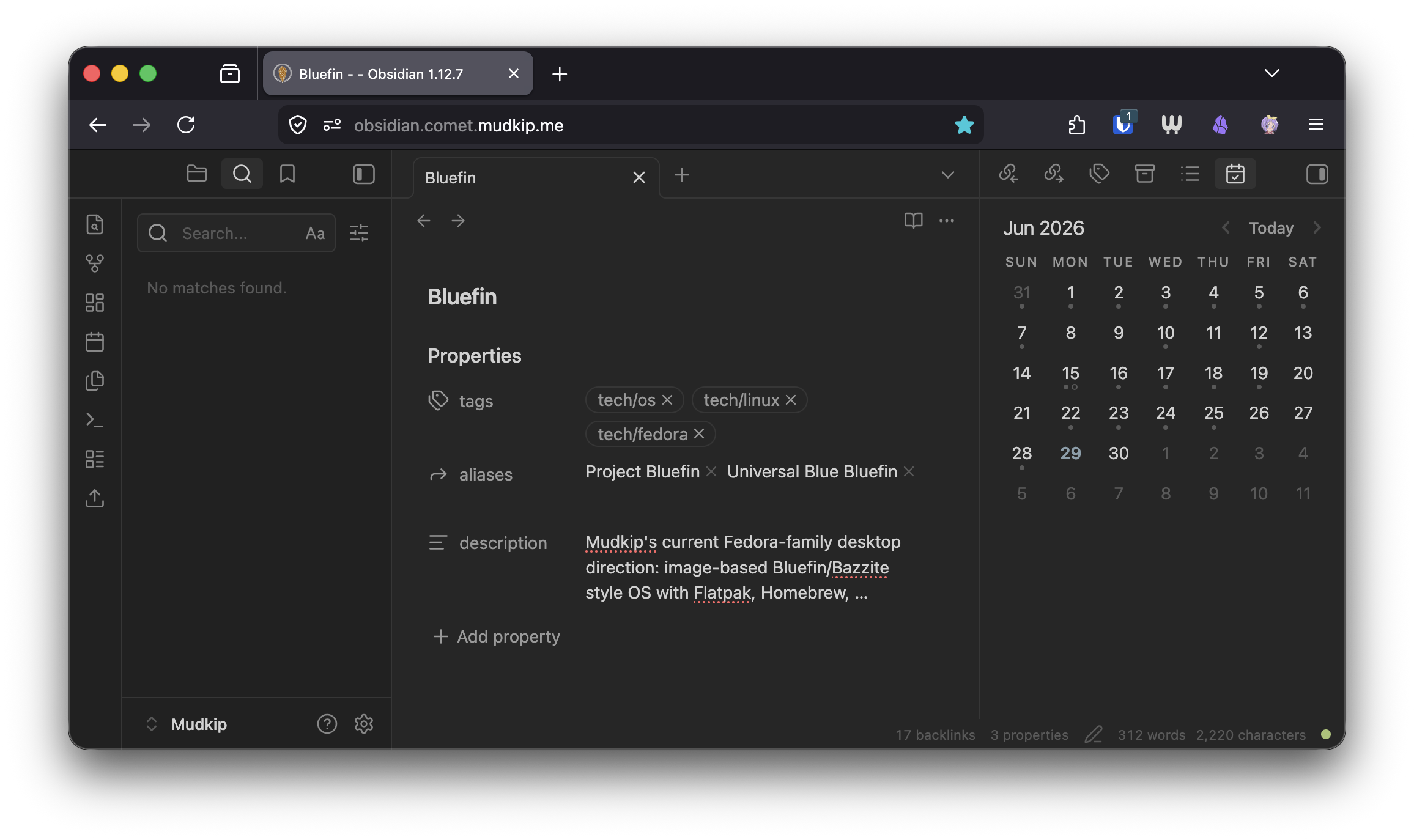
Obsidian has been my primary personal knowledge management solution for years. Since Obsidian Bases was added, my Obsidian Vault has become my source of truth for media tracking and project planning, as well as my main task manager. I respect their files over apps philosophy, and I feel at ease firmly believing that I can access my Zettelkasten notes, databases, and diary whether or not Obsidian exists.
That said, as a homelabber, I want to be able to access my Obsidian Vault from anywhere. While I use the Obsidian LiveSync plugin on my personal devices, there are times when I would prefer not to sync my entire vault locally, such as on corporate devices.
I’ve tried multiple solutions. SilverBullet is a nice open-source web app, however, its syntax isn’t 100% compatible with Obsidian. VS Code and Zed remote development, as well as code-server, are also similar solutions.
In the end, for the past few months, I’ve been using linuxserver/obsidian, which is a web VNC (Selkies) wrapper for Obsidian. It works, and I’m thankful it has proper IME and clipboard support, which is often difficult to achieve with remote desktops. However, the experience, especially when dealing with high latency, is not ideal and doesn’t feel like a true web app. Since Obsidian is an Electron app anyway, I wonder if it’s possible to run the frontend of Obsidian on the web, similar to code-server.
Ignis
To my surprise, I recently discovered a project called Ignis through Self-Host Weekly. Unlike other VNC-based solutions that allow users to access their vaults from the browser, Ignis leverages Obsidian’s Electron APIs to provide a semi-native web-based experience connected to a vault stored on a central server, which is exactly what I was looking for.
Deploying Ignis is straightforward using either Docker or Podman. Personally, I run it via a rootless Podman Quadlet on a development VM inside my homelab PC.
1 | [Unit] |
Syncing
While Ignis supports the official Obsidian Sync via Obsidian Headless, I use Obsidian LiveSync, so I had to figure out how to properly handle my vault synchronization. My initial idea was simply to keep the linuxserver/obsidian container running in parallel to handle the syncing on the same vault, but things got interesting when I turned on community plugins inside Ignis.
Technically, Ignis supports most community plugins, and seemingly including LiveSync. When I enabled community plugins, it just started syncing right away because the configuration files were already sitting in the vault’s .obsidian folder. However, the moment I opened Ignis in a second browser, it began uploading everything all over again.
This happens because LiveSync’s index database doesn’t live on the server. It lives in the browser’s local storage. To LiveSync, every new browser looks like a completely separate device. This behavior is a dealbreaker for a self-hosted setup and introduces a scary risk of data corruption.
To prevent this, I had to disable community plugins in Ignis entirely. Unfortunately, this also disabled essential plugins like Calendar and Tasks, meaning the web experience no longer matched my setup on other devices.
Luckily, while digging back into the LiveSync repository, I discovered they recently added a dedicated CLI tool. I struggled to get it working at first, but after diving into the source code, I uncovered a mismatch between the documentation and the actual implementation. In a nutshell, you can run LiveSync headlessly using the following commands:
1 | # Set up an alias. Replace the data and vault directories with your own. |
To fully automate the setup, I wrapped this headless LiveSync CLI into a Podman Quadlet so it runs as a background daemon.
1 | [Unit] |
Command Line
Switching to Ignis means the official Obsidian CLI is no longer accessible. To replace that functionality, I switched to the community notesmd-cli for a similar workflow. Because this runs in a headless environment without the actual Obsidian desktop application, it’s important to configure the tool to open your default terminal editor instead of trying to launch Obsidian:
1 | notesmd-cli set-default-vault --open-type editor |
Authentication
Ignis doesn’t include any built-in authentication, which I actually consider a feature. I use Pocket ID and Tinyauth for many of my self-hosted applications, so I can simply place Ignis behind Tinyauth and authenticate seamlessly using my Pocket ID passkey.
Summary
Ultimately, replacing VNC wrappers for Ignis has completely transformed how I access my knowledge base on the go. By combining Ignis’s lightweight, semi-native web interface with a headless LiveSync CLI daemon for syncing, notesmd-cli for terminal access, I’ve finally achieved the ultimate self-hosted Obsidian web app setup, and I’m able to work out of my vault from any browser anywhere.